
Shadow Core
For individual users
Freefor individual users
Shadow Hub
Shadow Hub is the hosted dashboard that shows a security or IT team every AI request their people make, and what Shadow masked or blocked: per user, machine, app and AI service. It is for businesses up to 500 people that run Shadow Core on laptops and servers: $3 per user per month, Shadow MDM included. Unlike AI DLP, Shadow masks data reversibly instead of blocking work.
Start a 30-day free trial at hub.getshadow.dev, no card required: invite your team, test everything, then subscribe. Questions first, or more than 500 people? Talk to us.
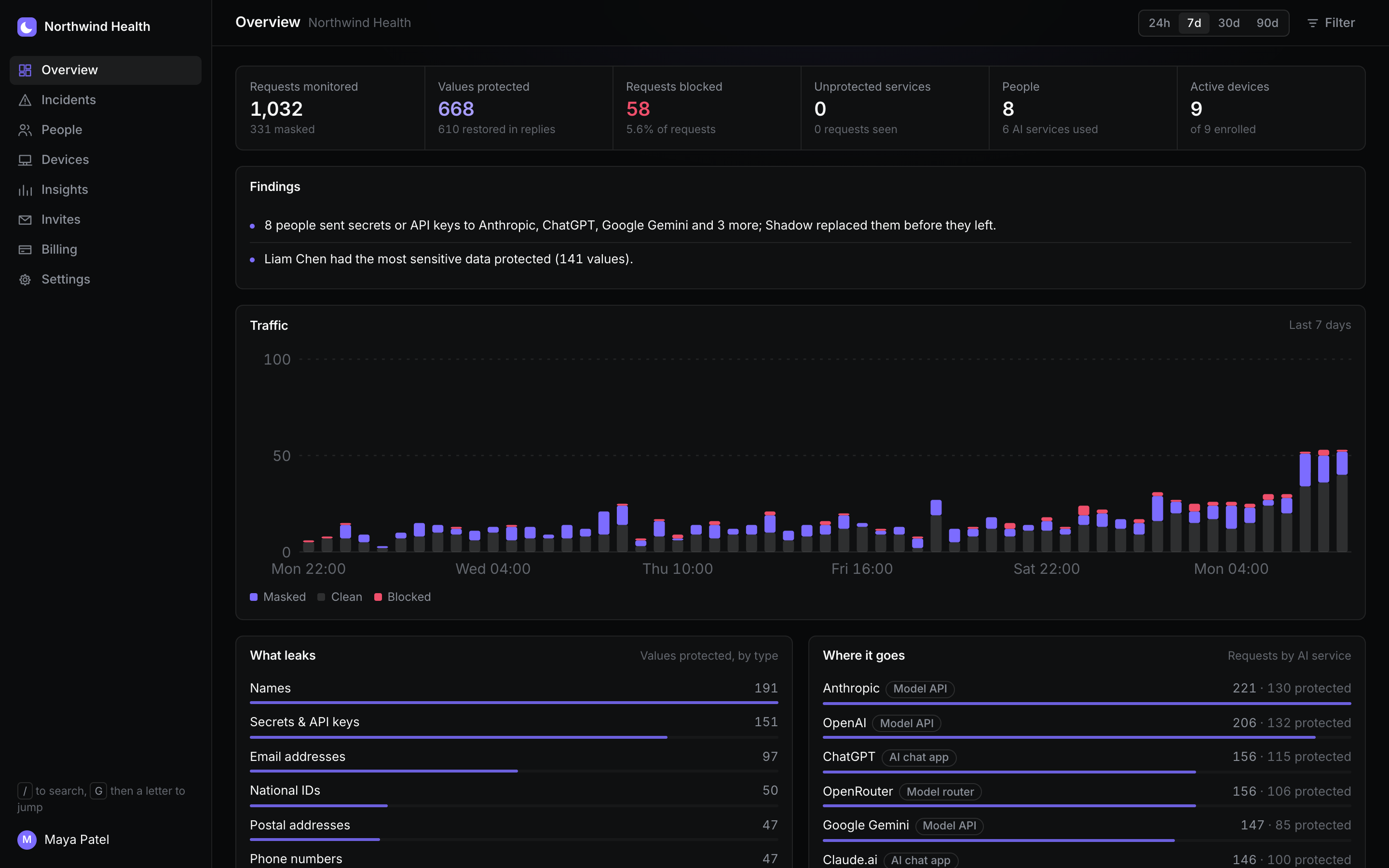
Most teams can’t answer three questions: which AI tools are people using, what data are they sending, and is any of it customer or regulated data? Hub answers them from the traffic itself, not from surveys.
Shadow AI is the AI tools people use without IT knowing. Hub lists newly seen AI services each week and who uses them, and flags services Shadow recognises but can’t protect yet (for example tools with their own binary protocols) as seen, not protected, so nothing AI-bound goes by unnoticed.
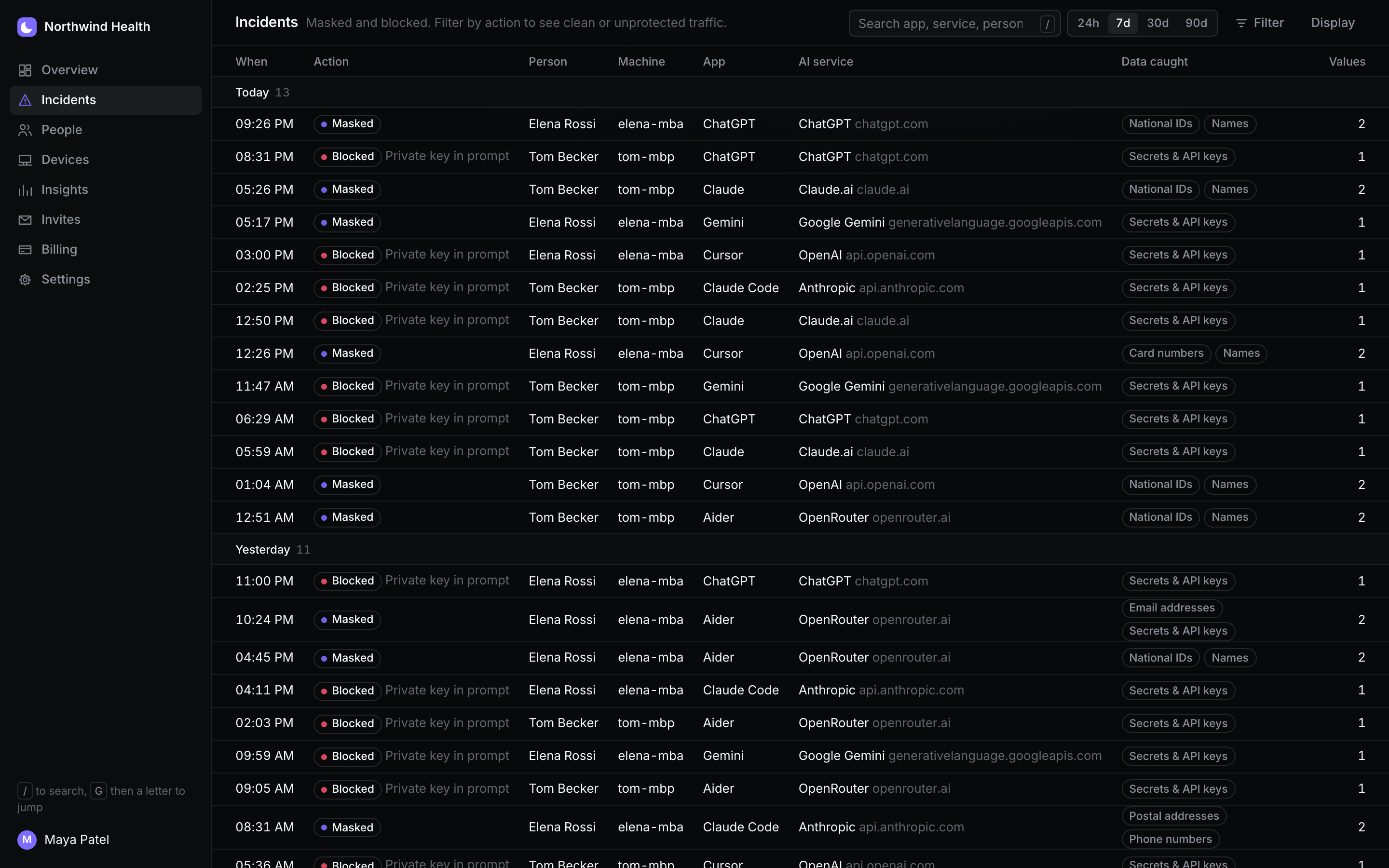
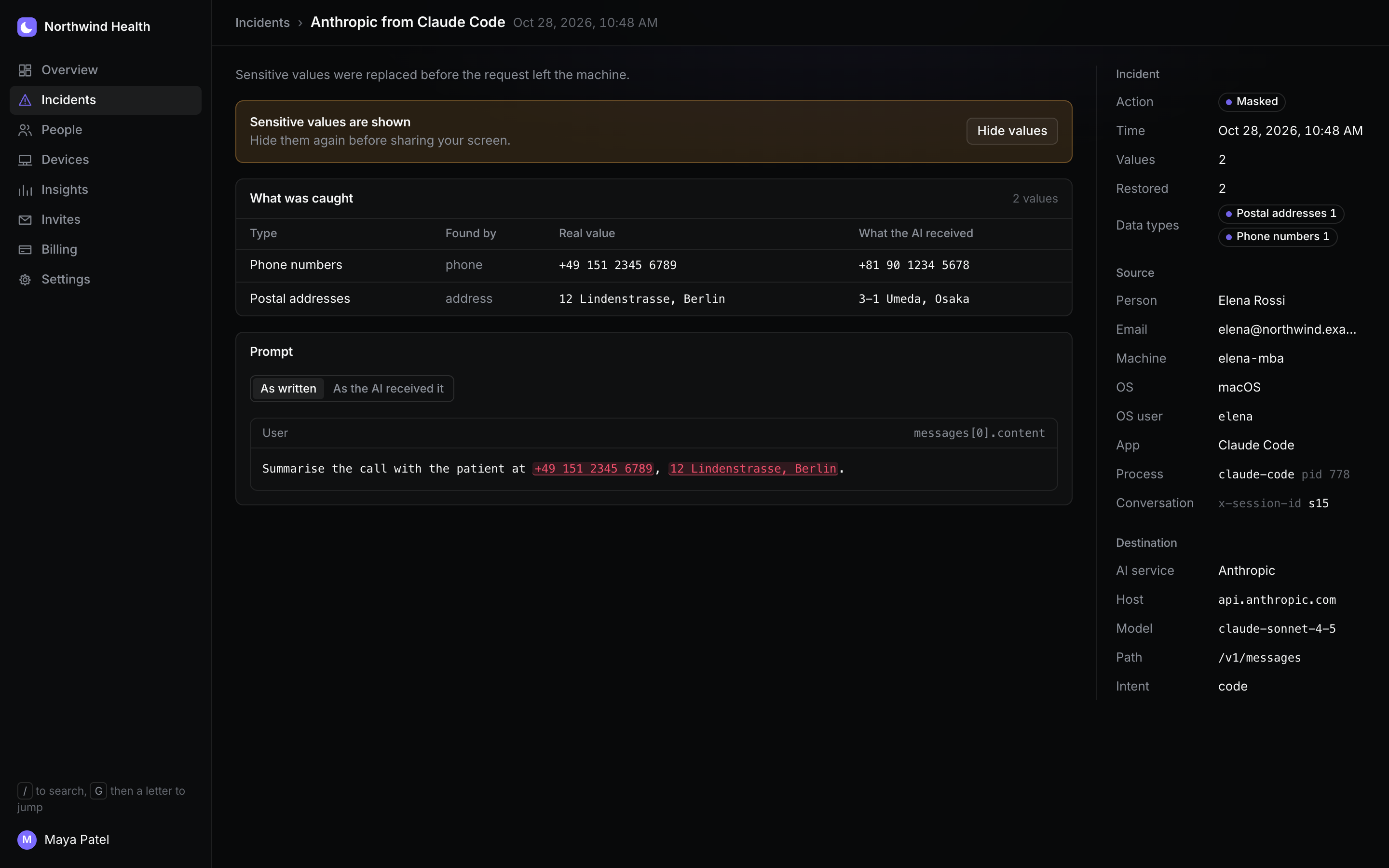
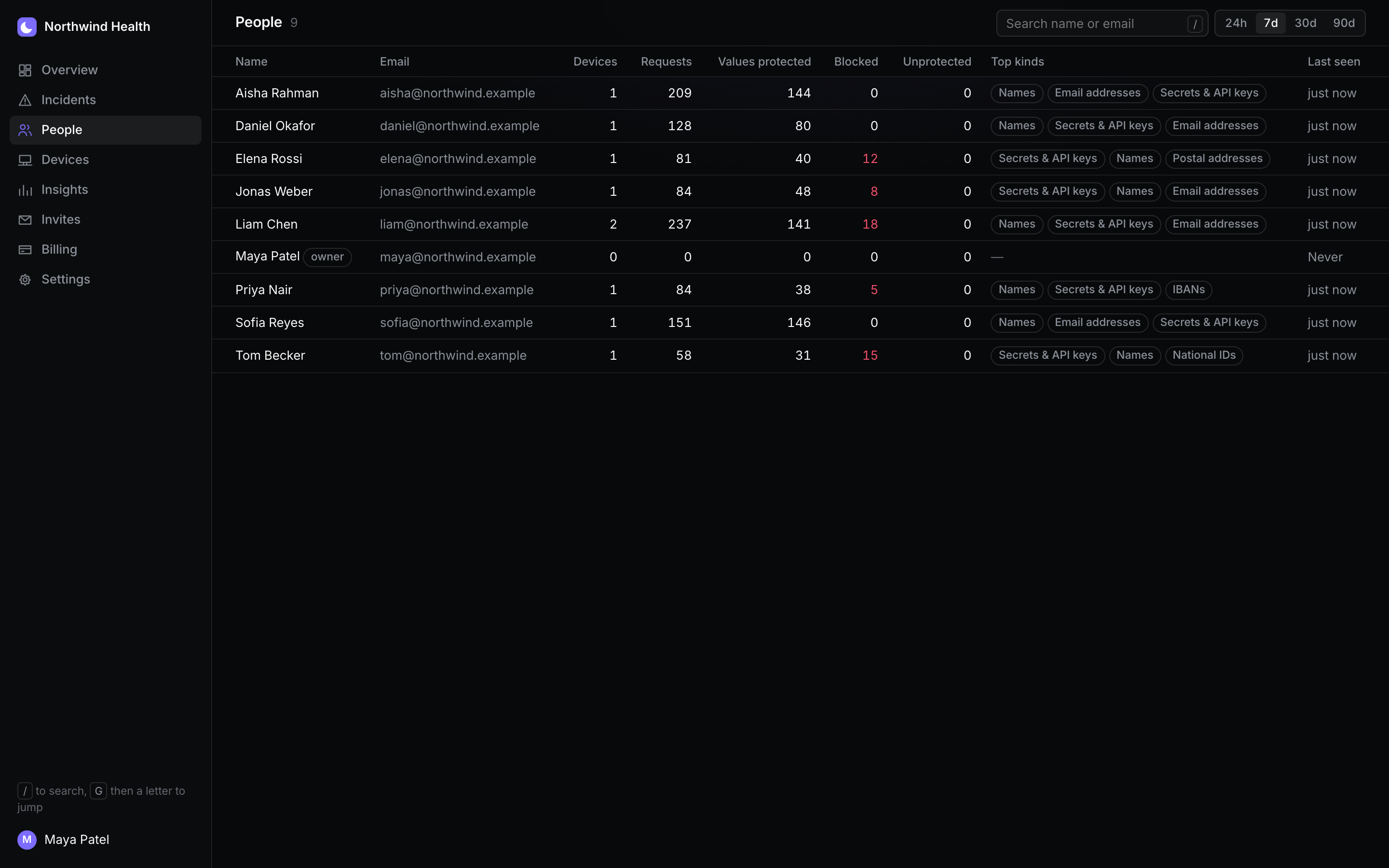
Open any person or machine to see the same dashboard for just them, then any incident in full:
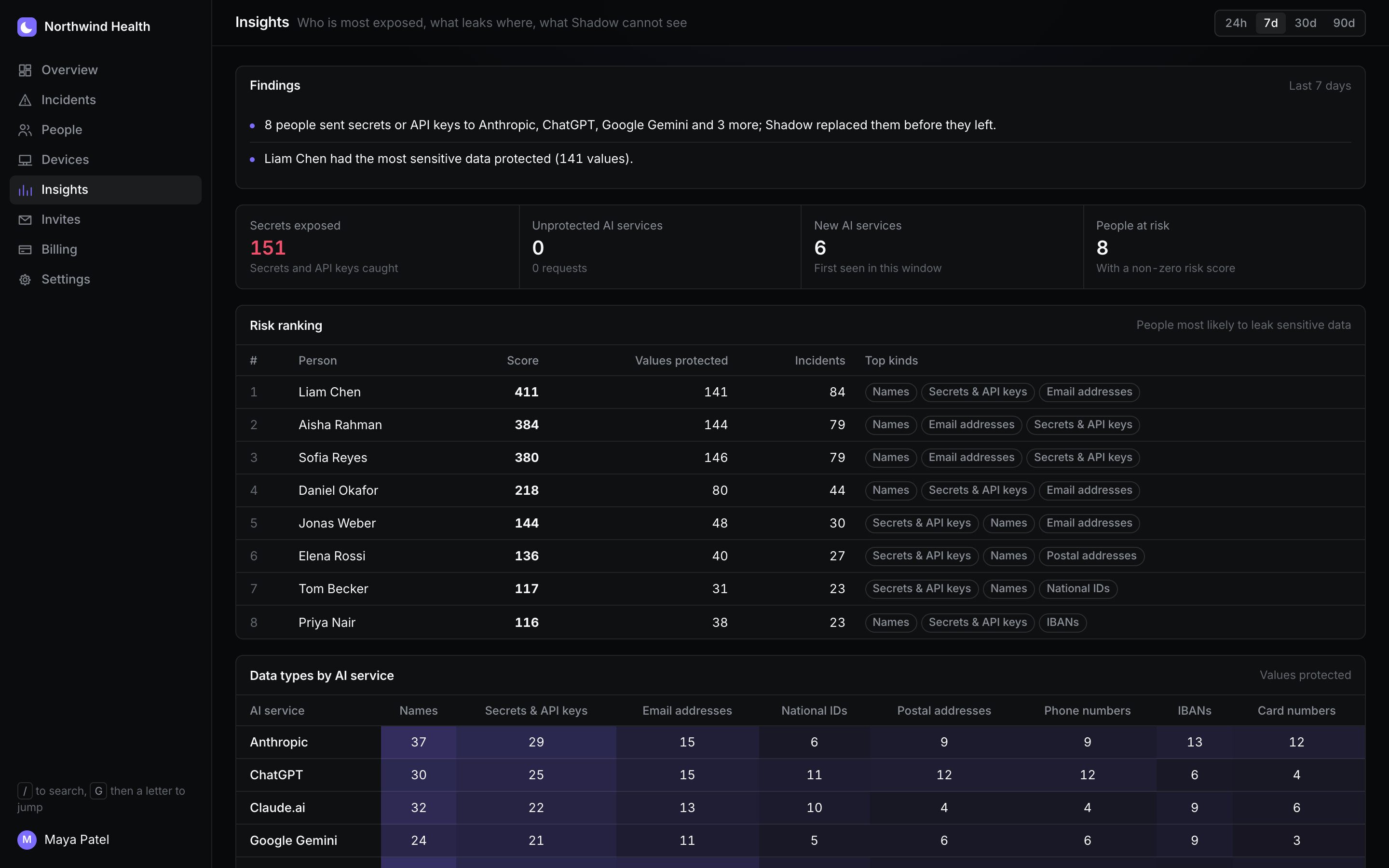
Hub ranks people by the sensitivity of what they sent, and shows which data types go to which AI services, so you can fix the process, not just the person.
Each person can run one command from their invite link: it installs Core, connects the machine to Hub and turns on protection, including browsers and chat apps. To push Shadow to every machine instead, use the MDM you already have (Jamf, Intune, Kandji) with the steps in Roll out Shadow with your MDM. No MDM yet? Shadow MDM is included in Hub and built into the same agent: it checks device posture and, once you approve, rolls out the settings your frameworks require.
curl -fsSL https://hub.getshadow.dev/core/install.sh | SHADOW_ENROLL='<your invite link>' sh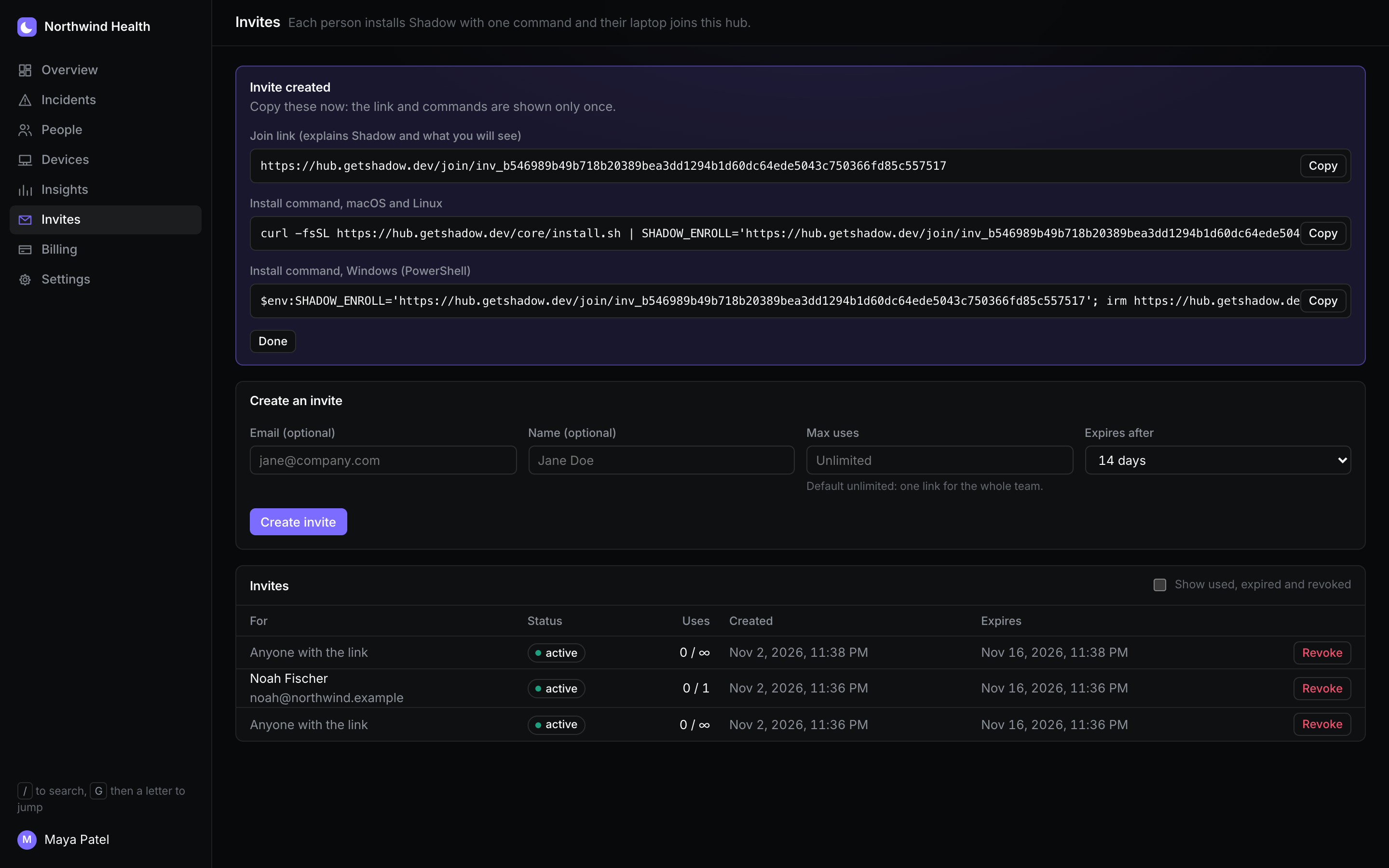
People see that their machine is managed, by which organisation, and what is shared, in the menu bar, the local dashboard and shadow status.
Policy documents say “don’t paste customer data into AI tools”. Hub shows whether that holds: every protected value and blocked request is an event with a person, a machine, a time and an AI service, kept for your retention period.
Read what Hub stores and never sees on the Trust page.
Shadow Core is free for individual users. Shadow Hub is $3 per user per month for businesses up to 500 people, with a 30-day free trial; admins are free. Shadow Enterprise is for 500+ employees.
For individual users
Freefor individual users
For businesses up to 500 people
$3per user / month, everything included
Start 30-day free trialFor 500+ employees
Customtalk to us
See full pricing and the cost estimator
Install Shadow Core on each laptop and connect it to Shadow Hub with one command from an invite link. Every request to an AI service then shows up in Hub per person, machine, app and AI service, with what was masked or blocked. Employees see that their machine is managed and what is shared.
Yes, for ChatGPT, Claude.ai, Gemini, Perplexity, DeepSeek and Grok in a browser once the system proxy is on, and for AI APIs and coding agents. How much you see depends on the sharing level your organisation picks: counts only, the prompt as the AI received it (fakes, no real values), or full detail.
Only if your organisation chooses it. With the counts level Hub receives no text at all; with sanitised it receives the prompt as the AI received it, after Shadow replaced real values with fakes; with full detail it also receives the original prompt and values. The level is applied on each laptop before anything is sent. See Trust.
Yes. Shadow Core is free for individual users and complete on its own: masking, blocking, the local dashboard and the menu-bar app. Core never phones home; nothing is sent anywhere unless someone connects the machine to Hub.
AI DLP tools mostly block or redact in the browser or on the endpoint. Shadow masks sensitive values with reversible fakes, so people keep using AI tools while the data stays on the machine, and Hub shows the whole team's activity. See AI DLP compared.
Shadow Hub is $3 per user per month for businesses up to 500 people, billed monthly, with Shadow MDM included. It starts with a 30-day free trial, no card required. Removed users drop off from the next month; admins are free. Above 500 people, Shadow Enterprise is priced with us. See Pricing.